Your Claude video edits look like everyone else’s. Get edits that look like yours.
A skill you install into your AI agent. Drop in your video, and it edits the way a pro would: the cuts, the graphics, the animation, the sound. It checks with you before anything is final, so you never have to figure out what to type.
One-time payment. Works with Claude Code, OpenAI Codex and Grok Build.
Sample edits
Made with this exact skill, start to finish.
I’m not selling you another course.
Pagod ka na sa coaches selling courses. Same. Ten hours of modules later, you still have to figure out how to apply it to your own video.
This is a skill. You install it once, and it does the editing work with you, video after video. The tutorial shows you how to set it up and use it, and you own the skill for good.
Who this is for
Freelancers. Take on more clients without working more nights.
Media buyers. Turn one video into polished ads you can test this week.
Content strategists. Show the idea finished, not described.
Small business owners. Post edited videos every week, on top of everything else you run.
Brand owners. Keep every video on brand, across every product.
Best for beginner to intermediate AI users. If you already get pro-level edits out of your AI agent, you probably don’t need this.
This is not for you if you want to post without ever watching a draft. Your eye is what makes the video yours, so it always checks with you.
Why your AI edits look like everyone else’s
Most people open Claude or ChatGPT, upload a video, and get stuck on the first message. What do you even ask for?
The ones who push through get the same thing everybody gets: plain cuts and basic captions. Your agent edits from its average knowledge of editing, so your video comes out average too.
The AI Editing Machine gives your agent what it’s missing: fifteen years of editing judgment, mostly from ads, packed into one skill. You don’t have to know the right things to ask. It does.
A “skill”? What is that?
A skill is a folder of instructions and tools. You install it into your AI agent once. From then on, when you say “edit this,” it already knows the whole process, from the first question to the final export.
You buy it once and use it on every video, for every brand and every client. No monthly fee for the skill itself.
If you can chat with Claude or ChatGPT, kaya mo ‘to.
How it works
Drop the zip into Claude Code. Ask it to install the skill. It sets itself up and shows you a test video when it’s ready. The first setup takes a while, mostly downloads.
Drop in your video. Talk to it like you’d talk to an editor. It asks what it needs to know about your video in plain words, and you just answer.
Approve, and it’s done. You see drafts before anything is final. Like it? Approve it. Want something different? Say so in your own words, Taglish included.
You stay in control the whole way. Nothing goes to final without your yes.
What you get
- Edits that look like a professional made them, not the plain cuts and captions everyone else posts
- Motion graphics, 2D animation and captions in your brand colors
- Sound that makes it feel finished, not just your voice over the footage
- One skill for all your products and clients, each with its own look
And the time you used to spend editing is yours again. Spend it with your family, on a hobby, on the pickleball court, or yes, doomscrolling. We won’t judge.
The samples above show it better than a list can.
Who made this
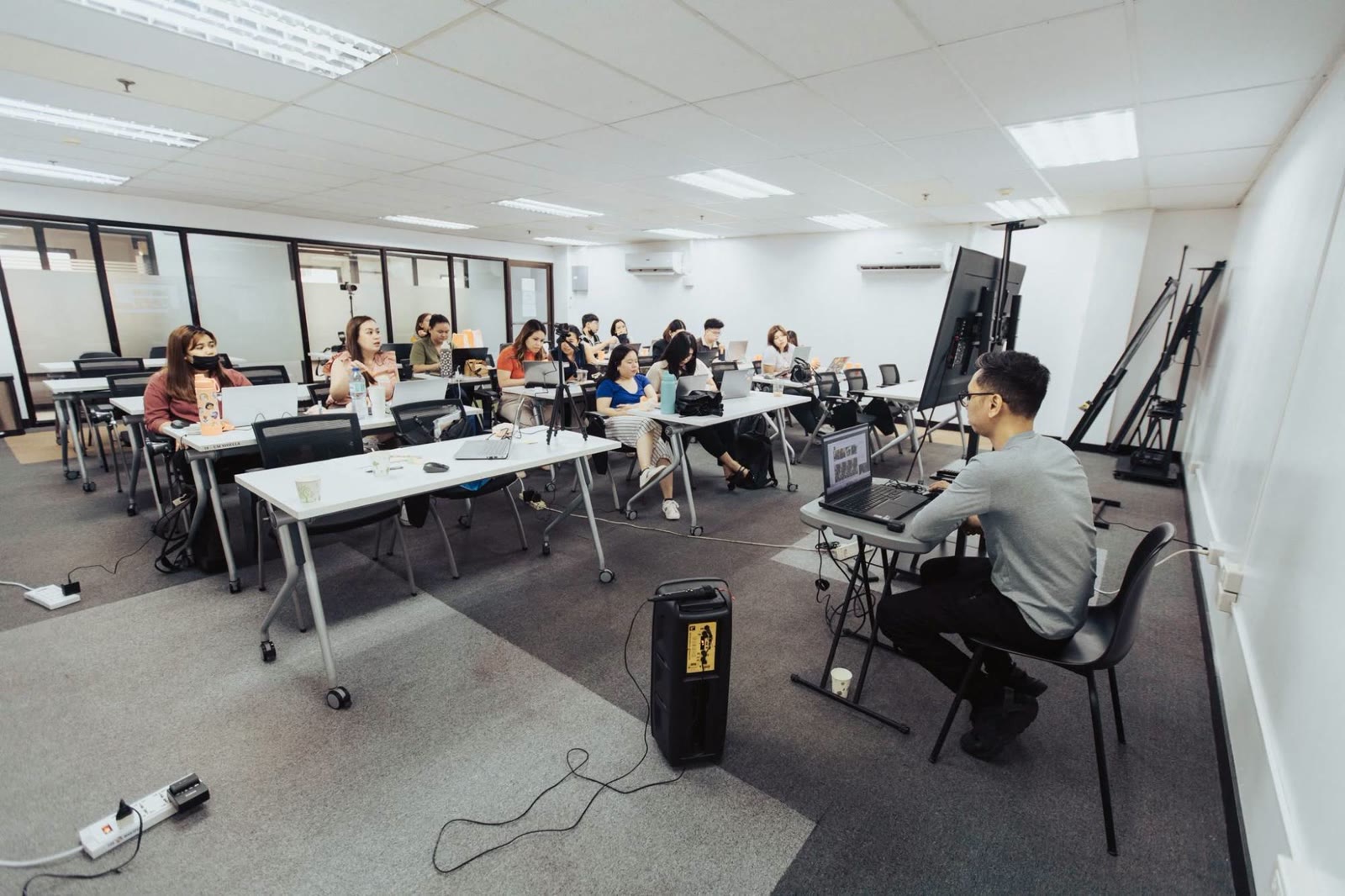
I’m Pex. I’ve been editing video for 15 years, and for the last few, ads have been my bread and butter. I’ve seen thousands of ads, and I know a good one when I see it.
I’ve also been working with AI since before most people had heard of it.
The AI Editing Machine is what I know about editing, packed into a skill for your agent. I stress-tested it by editing real videos from start to finish, as if I were a first-time buyer, and fixed every snag I hit along the way. That’s why it walks you through every step.

Let’s be honest about one thing: your script
The skill edits what you give it. A strong script with a clear hook, clear points and a clear ending gets a great edit. A weak script gets a well-edited weak video.
Scripting is the hardest part of making content, and this skill doesn’t do it for you. If you can’t write a good script yet, don’t buy this yet. Come back when you can.
Choose your package
DIY
“Give me the file, I’ll figure it out.”
- The AI Editing Machine skill, everything included
- Written install and usage guide, step by step
- Lifetime access to the version you bought
No video tutorial and no updates.
Get the Skill for ₱500AI Editing Machine
“Everything you need to actually finish a video.”
- Everything in DIY, plus:
- Step-by-step video tutorial, from install to your first finished edit
One-on-One Training
“One hour. Your videos. You, editing without me.”
- A live 1-hour session with me, one on one, using your own video as the example
- We edit a real video together on the call
- Session recording and written follow-up notes
- Online anywhere, or in person around Metro Manila (travel outside Metro costs extra)
The guarantee
If you can’t install the skill within 7 days even after following the guide, that’s on me. I’ll help you install it over a call. If it still won’t run on your setup after that, full refund. Simple. Read the Refund Policy
Which package should you choose?
Choose the ₱500 skill if:
- You already use Claude, Codex or Grok
- You’re comfortable following written instructions
- You want the lowest-cost option
Choose the ₱2,000 package if:
- You want to see the whole process before you try it
- You’re frustrated with how your AI-edited videos turn out
Choose One-on-One Training if:
- You want me to walk you through it live
- You want your first edit done right, with me watching
- You learn faster by doing than by watching
Place your order
1. Pay ₱500 or ₱2,000 via GCash using the details below.
2. Fill out the form and attach your receipt screenshot. Diretso dito, no other site to visit.
3. We verify and send your download to your email within 24 hours, usually faster.

Payment
₱500 and ₱2,000: pay via GCash, then confirm through the order form above. No account needed, walang sign-up. Prefer email? Send your receipt screenshot and name to pexreyes97@gmail.com. Most orders verified and delivered within 24 hours, usually faster.
Why is there no card checkout? Direct GCash means no processing fees, which keeps the skill cheaper. If you’d rather pay another way, email me.
What you need
To use the skill, you need:
- A computer, Mac or Windows
- A paid plan for Claude Code, OpenAI Codex or Grok Build
- A good script
- Your video. Talking videos, podcasts, trend videos, silent videos, even text-only animation. For some styles, it needs a sample video to take inspiration from
- About 2 GB of free space for the first setup
The real cost, nothing hidden
Once it’s set up, every video you finish with it is time you get back. That’s the real return.
FAQ
What exactly am I buying?
A skill you install into your AI agent, plus a written guide (and the video tutorial on the ₱2,000 package). Once installed, it edits your videos with you, from raw footage to the finished file.
Is this a course?
No. There are no modules to sit through. It’s a skill with a tutorial on how to use it. You learn by editing your own video on day one.
Do I need to know how to edit?
No. You need to know what you like. The skill handles the rest and checks with you.
Do I need to know prompting?
No. It guides you the way a professional editor would. You answer in plain words.
Will it write my script?
No, and it won’t save a weak one. Bring a script you’re happy with.
Will I make money from this?
No promises there. It edits your videos; it doesn’t guarantee views, followers, sales or income. Be careful with any tool that does. What you get is better edits and your time back, and what you do with them is up to you.
Which AI does it work with?
Claude Code, OpenAI Codex and Grok Build. You need a paid plan on whichever one you use. It’s fully tested with Claude Code; Codex and Grok Build are being tested now.
Is there a cost per video?
No generation credits. Each edit uses part of your AI plan’s usage allowance, and bigger edits use more.
Can I use it if I don’t want to be on camera?
Yes. It edits AI avatar videos (HeyGen and similar) the same way it edits you on camera.
Can I use it for client work?
Yes. Any brand, any client. How many videos you can edit in a day depends on your AI plan’s usage limits.
Does every video have to look the same?
No. It handles different brands and products, and you can change your look any time.
How long does an edit take?
It depends on how heavy the edit is and your internet speed. Most of the time is you watching drafts and deciding.
Mac or Windows?
Both. On Windows it runs in Git Bash, which comes with Git for Windows (free). If you use Claude Code on Windows, you most likely have it already.
How do updates work?
The first 20 ₱2,000 buyers got updates for life, and those spots are all taken. You keep the version you buy, for good.
How long until I get my download?
Usually within 24 hours of payment verification.
What if I get stuck?
Email support comes with every package. On the ₱2,000 package, the video tutorial answers most questions before you’d think to email.
You’re ₱500 away from edits that don’t look like everyone else’s.
You already pay for a powerful AI. The hard part is knowing what to ask it, and that’s what this skill handles. It brings fifteen years of editing judgment to every video, and nothing goes out without your yes.
Use it for your brand. Use it for a client. Then close the laptop and go do something you actually enjoy.
See packages, from ₱500
Got it! Your order is in.
I’m checking your GCash payment now. Your download and guide arrive at the email you entered within 24 hours, usually sooner. Check Spam and Promotions too.
Your video tutorial link comes in the same email.
While you wait: if you’re on Windows, install Git for Windows. It’s the one thing to have ready.