AI UGC Ads: Spin 10 Video Variants in One Afternoon with CraftStory
Learn how CraftStory’s 2026 AI‑UGC Generator lets you create ten hook‑rich video ads fast, why AI UGC beats brand videos, and the compliance steps you can’t ignore.
Quick answer: AI UGC ads let you generate ten hook‑rich video variants in a single afternoon using CraftStory’s AI‑UGC Generator – no camera crew, no casting, just AI‑driven scripting, synthetic presenters, and platform‑ready exports.
In the world of short‑form social, the format that actually moves the needle is user‑generated content, not polished brand reels. The good news? You don’t need a freelance creator pool to get that vibe. CraftStory’s 2026 AI‑UGC Generator bundles hook writing, avatar rendering, and bulk export into a single UI, making rapid testing a reality for even a solo marketer.
1. What AI UGC ads are and why they beat brand‑centric video
AI‑generated user‑generated content (AI UGC) mimics the informal, handheld style of genuine customer videos while using synthetic avatars, AI‑written scripts, and AI‑voice‑overs. The performance edge is stark: Nosto’s 2025 benchmark shows UGC‑style ads deliver 4× higher click‑through rates and +29 % conversion versus traditional brand‑centric video (source). The numbers aren’t a fluke; they reflect how audiences trust peer‑like narratives over glossy sales pitches.
But the magic isn’t just numbers. Opascope’s deep dive highlights four fatal flaws that kill UGC performance: missing storytelling hook, running the ad from a brand page instead of a whitelisted creator, mismatched audience, and weak post‑click experience (source). Even a photorealistic avatar can’t rescue a video that fails those basics.
“If you’re not testing UGC, you’re leaving money on the table.” – Nosto 2025 data
In short, AI UGC ads win because they marry the algorithmic love for authentic‑looking content with the scalability of AI.
2. How the CraftStory AI UGC Generator streamlines creation
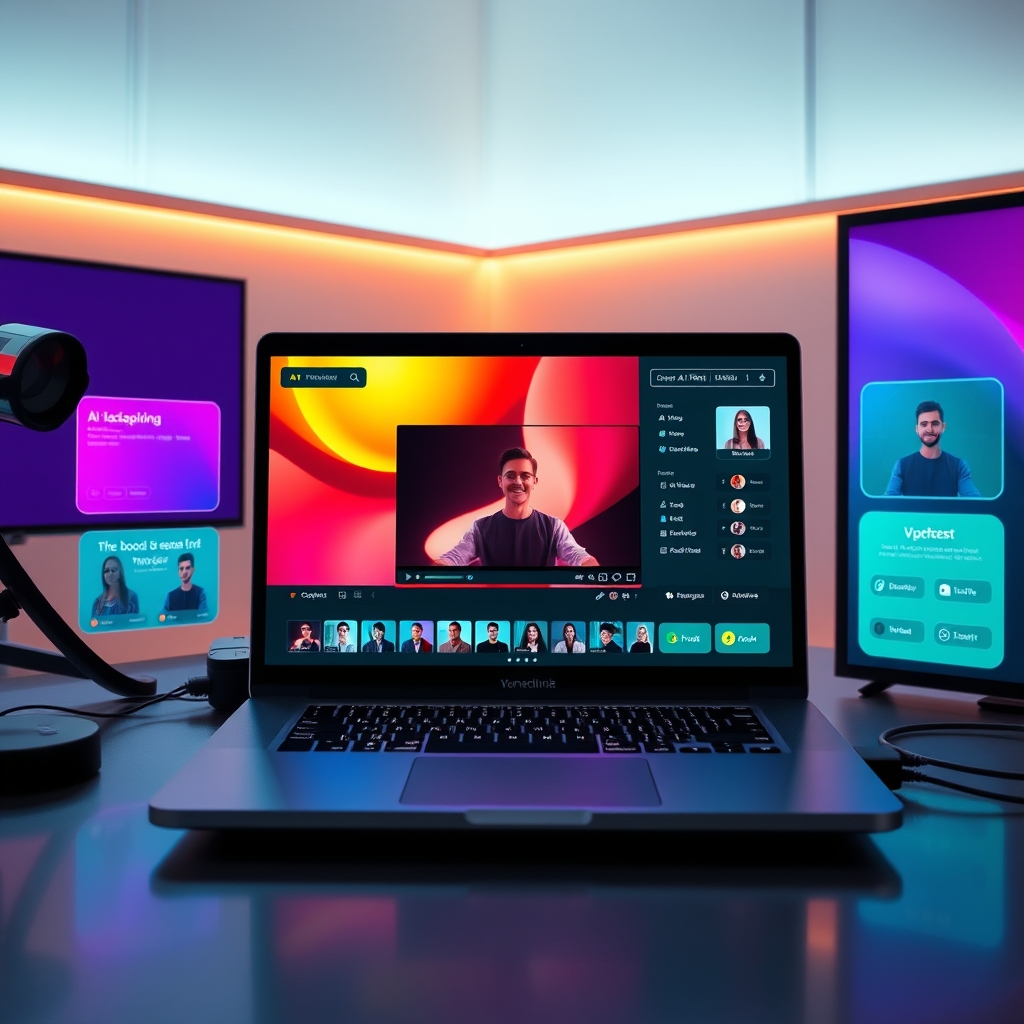
CraftStory’s 2026 AI UGC Generator is built around a three‑step workflow that eliminates the traditional production bottlenecks:
- Hook Writer: Input a product brief; the AI suggests 5‑7 scrolling‑stopper hooks, each under 5 seconds.
- Synthetic Presenter: Choose from a library of AI‑avatars (gender, ethnicity, style). The platform auto‑generates lip‑sync and facial animation.
- Batch Render & Export: One click creates ten video variants—each with a different hook, background music, and CTA overlay.
The entire process takes roughly three hours from login to download, assuming a modest 30‑second final video length. No external tools, no voice‑over recording, no reshoots. The guide on CraftStory’s site walks you through the UI step‑by‑step (source).
What makes this compelling for marketers is the built‑in A/B testing loop. You can spin up ten variants, launch them across TikTok and Instagram, and let the platform algorithms allocate spend to the top‑performing hooks within days.
When you fire up the Hook Writer, the engine isn’t just spitting out generic one‑liners; it parses your brief against a curated prompt library that emphasizes a problem‑first narrative, a technique highlighted in CraftStory’s 2026 guide (source). The result is a shortlist of 5‑7 hooks, each under five seconds, that you can instantly rank by tone (playful, urgent, or aspirational) without leaving the UI. The practical decision here is how many hooks to push into the batch. A $5k‑per‑day budget can comfortably test five variants without fragmenting spend, whereas a $20k‑plus budget can absorb the full ten‑hook set and still generate statistically meaningful lift.
Choosing an avatar is where the trade‑off between visual fidelity and platform efficiency becomes concrete. CraftStory offers a library of AI‑avatars spanning gender, ethnicity, and style, all pre‑rigged for lip‑sync. Photorealistic models consume more bandwidth and may trigger stricter disclosure requirements on TikTok, where the algorithm rewards “high‑volume AI content” but penalizes overly polished visuals that feel inauthentic (source). A savvy brand might select a casual, handheld‑style avatar for TikTok’s discovery feed, then swap to a slightly more refined presenter for Instagram Stories, where authenticity is measured by community‑style cues rather than sheer volume.
The Batch Render step does more than click‑and‑download. You can specify output resolution (720p for fast‑loading TikTok ads, 1080p for Instagram carousel videos) and choose between MP4 or WebM containers, directly influencing load‑time metrics that affect completion rates. CraftStory’s export wizard also lets you toggle a royalty‑free music track from its internal catalog or upload a licensed piece, a decision that balances creative control against the risk of copyright strikes. Because the platform automatically stamps an “AI‑Generated” watermark, you can replace it with a subtle “Sponsored” label to satisfy Meta’s synthetic‑media disclosure policy (source) without adding an extra editing step.
Integration with ad managers is another fork in the road. Small teams often prefer the “Direct Publish” button that pushes each variant straight to TikTok or Meta, cutting down on manual upload time. Larger agencies may opt for Wireflow’s automated publishing workflow (source), which batches the exported files into a scheduled rollout. The choice hinges on your operational bandwidth: a solo marketer can close the loop in under three hours, while an agency with multiple clients might invest in a separate publishing layer to keep campaigns synchronized.
One hypothetical run‑through illustrates the feedback loop. Suppose you launch ten variants across TikTok and Instagram with equal budget. After 48 hours, the platform’s algorithm reallocates 70 % of spend to the three hooks that achieve the highest click‑through rate, a behavior documented in Superscale’s 2025 study (source). You then archive the under‑performing seven, feed the top three back into the Hook Writer for new angles, and re‑render a fresh batch. This iterative cadence lets you maintain a “always‑fresh” creative pool while staying within a modest testing budget.
Finally, the compliance checkpoint cannot be an afterthought. CraftStory’s UI enforces the AI‑generated label, but you still need to verify that the overlay meets each platform’s wording guidelines. Failure to do so can result in ad rejection or account suspension, as outlined in the platform policies section of the same guide (source). By embedding the disclosure at render time, you eliminate a manual QA step and keep your rollout timeline tight.
3. Where CraftStory fits in the modern AI stack
There’s a growing ecosystem of AI‑UGC pipelines. Below is a quick decision matrix that pits CraftStory against the most popular alternatives:
| Tool | Core Strength | Typical Use‑Case | Learning Curve |
|---|---|---|---|
| CraftStory AI UGC Generator | All‑in‑one UI, hook library, batch export | Small teams needing rapid variants | Low – point‑and‑click |
| Arc Ads AI Workflow Builder | Single‑vendor AI actors, click‑driven pipeline | Brands that want a hosted solution for Meta | Medium – workflow setup |
| Wireflow.ai | Drag‑and‑drop builder, automated publishing | Agencies scaling dozens of ad sets weekly | Medium – UI familiarization |
| Nano Banana + Veo 3.1 + Kling 2.6 + ElevenLabs | High‑fidelity photorealism, custom voice | Production houses chasing cinematic UGC | High – multiple tool integrations |
When you need a single‑vendor, low‑overhead solution, CraftStory shines. If you’re chasing ultra‑realistic avatars for a brand safety‑critical campaign, the Nano Banana stack may be worth the extra integration work. Arc Ads offers a hosted alternative that eliminates self‑hosting concerns, while Wireflow excels at batch publishing to multiple platforms.
My own workflow preference is to start with CraftStory for quick iteration, then graduate the top‑performing hooks to a higher‑fidelity stack if the budget permits.
4. Compliance, platform quirks and the ‘realism = performance’ myth
Both Meta and TikTok now enforce synthetic‑media disclosure policies. Ads that feature AI‑generated avatars must include a clear label such as “AI‑generated” in the caption or overlay (source). Failure to comply can result in ad rejection or even account suspension.
Algorithmic nuances also matter. Superscale’s 2025 study shows TikTok rewards high‑volume AI content, while Instagram favors authentic community‑sourced videos (source). That means you should tailor hook pacing, video length, and even avatar style per platform.
The industry often equates photorealism with performance, but Opascope and Superscale prove the opposite: a compelling hook and proper placement outrank visual fidelity. Austin Armstrong warns that the market is saturated with “AI slop” and that only a few high‑quality variants can sustain $20K+ daily spend (source). Over‑investing in realism while neglecting storytelling is a budget leak.
“Storytelling hooks trump photorealism every time – the algorithm cares about engagement, not pixel count.” – Opascope analysis
Finally, privacy concerns linger when AI avatars mimic real people. While no current tool offers a built‑in consent layer, it’s prudent to avoid using screenshots of actual users without explicit permission (see Reddit discussion on privacy gaps source).
5. How to generate 10 AI UGC video variants today with CraftStory
Ready to put theory into practice? Follow this exact checklist. All steps are performed inside CraftStory’s web UI; you’ll need a paid account to unlock batch rendering.
- Log in to CraftStory. Use your credentials or SSO. The dashboard lands on the “New Project” screen.
- Create a new project and upload your brief. Paste a one‑sentence product description, target audience, and primary benefit. Example: “Eco‑friendly reusable water bottle for active millennials – stays cold 24 hrs.”
- Generate hook ideas. Click “AI Hook Writer,” select “Short‑Form (15‑30 s),” and hit “Generate.” Choose the top five that start with a problem statement (“Tired of lukewarm water?”).
- Select an avatar. In the “Presenter” tab, filter by gender, ethnicity, and style (e.g., “Casual female, outdoor vibe”). Click “Apply.”
- Customize voice & background. Choose an ElevenLabs‑style voice (e.g., “Bright female, 24 kHz”) and a royalty‑free music loop. Enable “Auto‑sync lip‑sync.”
- Combine hooks and avatars. Use the “Batch Builder” to pair each of the five hooks with two background colors (light vs. dark), creating ten unique combos.
- Render. Hit “Render All.” CraftStory queues the jobs; each 15‑second video finishes in ~2 minutes.
- Export & label. Download the MP4 files. The platform auto‑adds an “AI‑Generated” watermark; replace it with a subtle “Sponsored” label to meet platform policies.
- Upload to TikTok & Instagram. In the export dialog, click “Direct Publish” to push each variant to the chosen ad accounts, or download and upload manually via Meta Business Suite.
- Set up A/B test. In each platform’s ad manager, allocate equal budget across the ten variants. Let the algorithm allocate spend after 48 hours based on CTR and conversion metrics.
That’s it – ten ready‑to‑run AI UGC ads in a single afternoon. For brands that need help scaling beyond a handful of variants, consider my consulting services (service page).
FAQ
What makes AI UGC ads better than traditional brand videos?
AI UGC ads combine the authenticity of user‑generated content with AI’s speed. Nosto’s 2025 data shows a 4× higher CTR and 29 % higher conversion rate for UGC versus brand‑centric video (source).
Do I need to disclose that the video is AI‑generated?
Yes. Both Meta and TikTok require a clear “AI‑generated” label in the caption or overlay. CraftStory automatically adds a disclosure watermark you can customize (source).
Can I use the same AI UGC variants on both TikTok and Instagram?
You can, but performance differs. TikTok favors high‑volume AI content, while Instagram rewards authentic community‑style videos. Adjust hook pacing and thumbnail style per platform for optimal results (source).